The whole app, feature by feature.
Culinario is a cooking school that starts where recipes stop helping — with the dish already in front of you. This page is the complete tour: what it fixes, what it measures, what it does at the stove, and what it never collects.
Fix the dish in front of you, then learn why it worked.
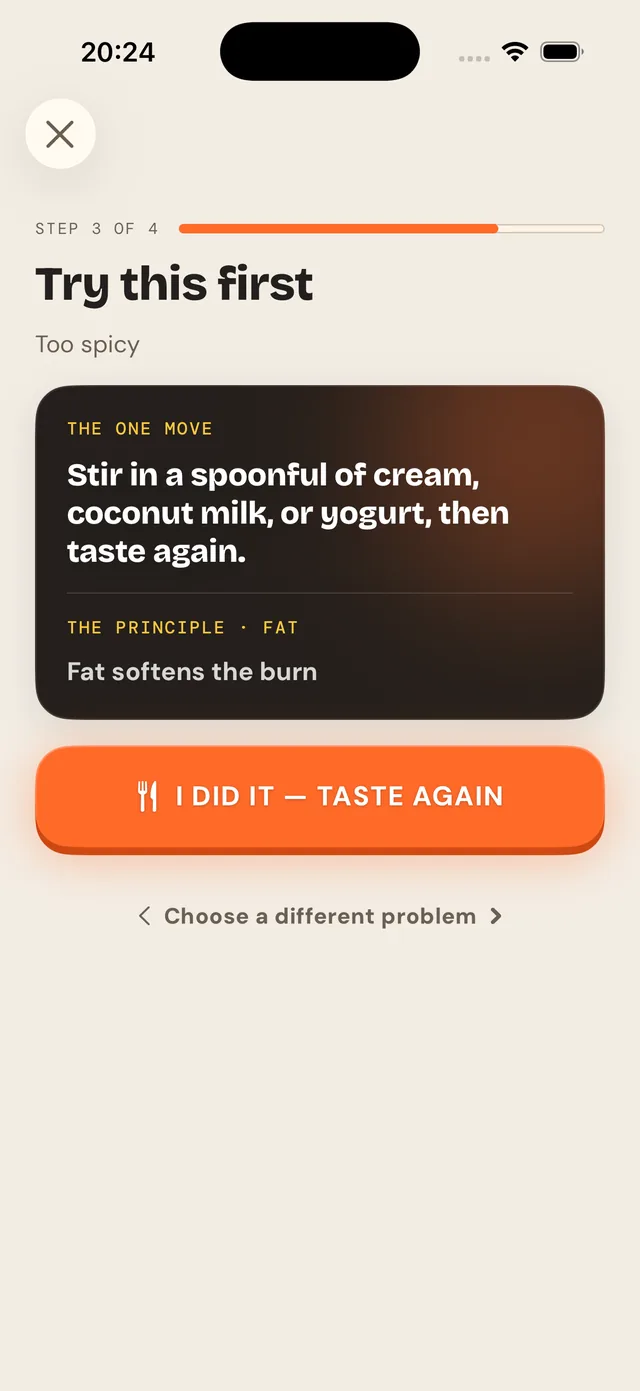
Open the app and the first thing it does is help. No account, no setup, no tour first — the very first screen asks what you're cooking and what's wrong with it.
Say what's wrong
Flat, too salty, too thin, thick or dry, heavy, greasy, sharp, sour, spicy, catching on the bottom — in a cook's words, not a recipe index.
One move
One small, reversible correction — and the principle underneath it, so it transfers to a dish you've never made.
Taste again
“It didn't help” is a first-class answer with a route out of it, not a dead end.
It comes back
Tonight's correction returns as a short lesson and later as a spaced review, in a new context.
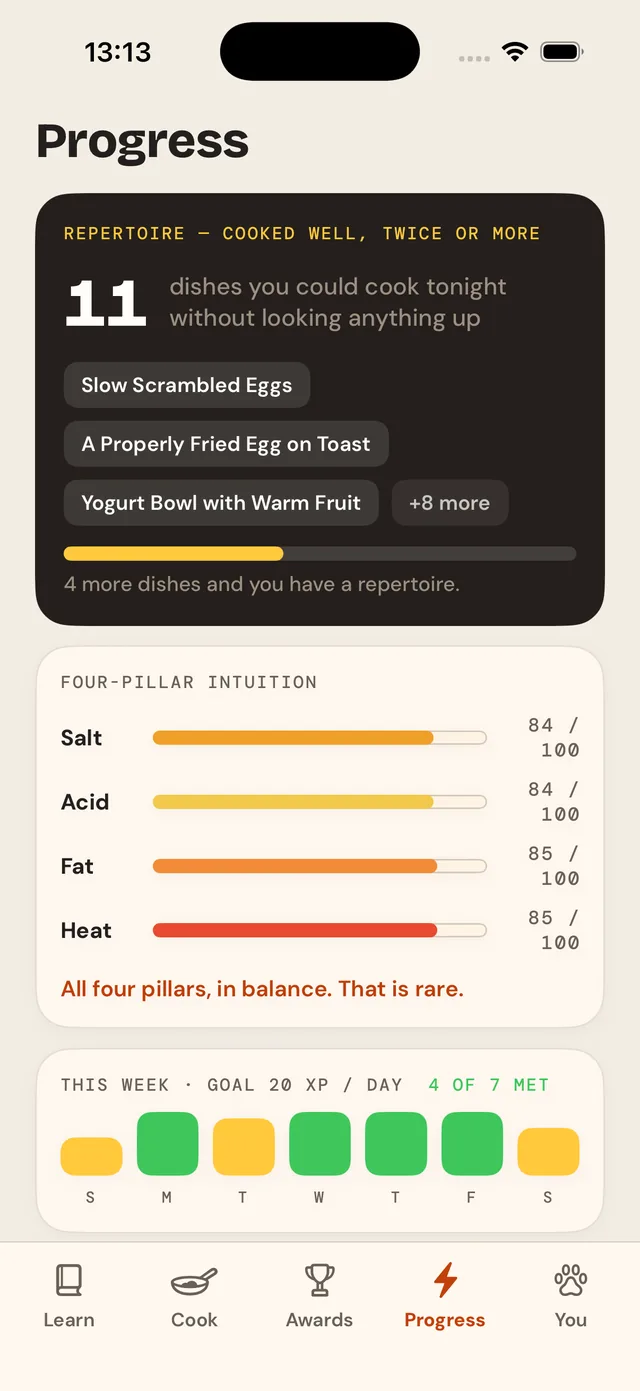
Four pillars, actually scored.
Salt, acid, fat and heat are the four decisions behind almost every dish. Culinario doesn't just talk about them — it tags the lessons that train each one and gives you a score out of 100 per pillar, built from how broadly you've covered it, how accurate your first attempts were, and how well it survived review.
Your weakest pillar is what Smart Practice reaches for first, and the one the daily suggestion names. It's a measurement, not a badge.
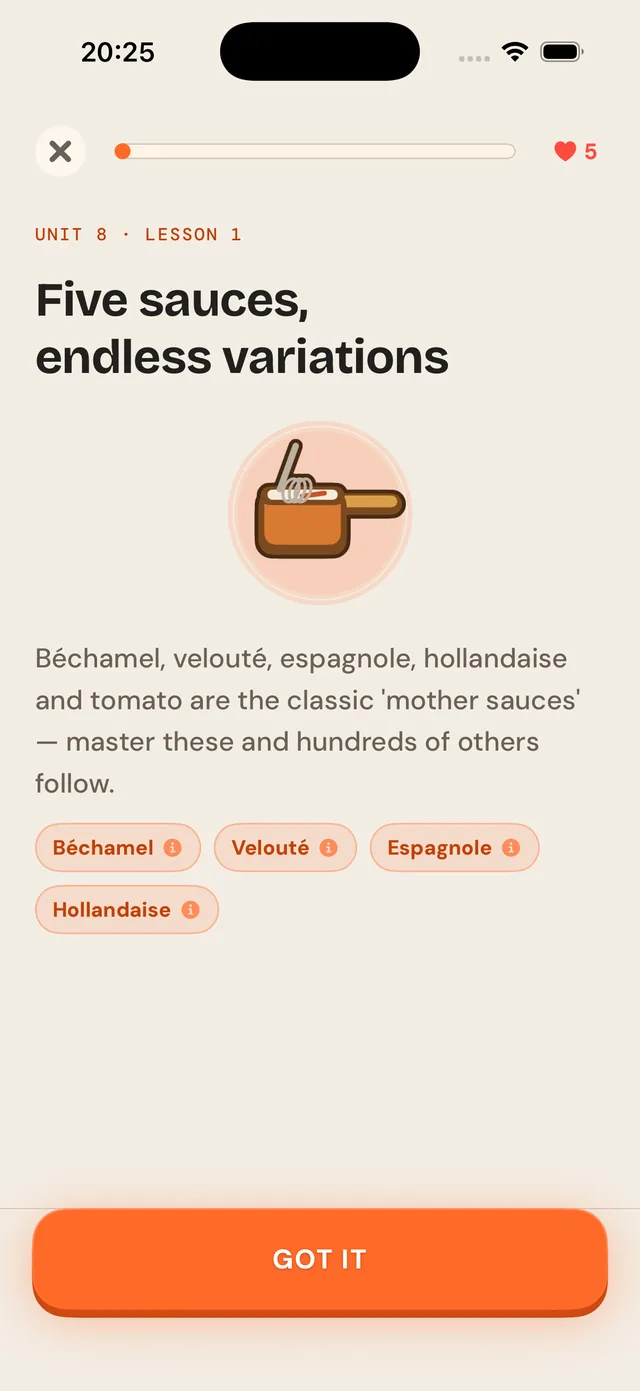
29 courses, 615 lessons — and nine different ways of asking.
Fundamentals first, then 28 more courses across world cuisines and ways of eating. A lesson is two minutes, and it never asks the same shape of question twice in a row.
Teach cards
One idea, illustrated, before anything is tested.
Multiple choice
Options reshuffled every time, so you can't learn a position.
True or false
The kitchen myths, one at a time.
Fill the blank
The word that carries the technique.
Order the steps
Sequence is most of cooking.
Matching
Pair the technique to what it's for.
Balance the flavour
A dish is off — move salt, acid, fat or heat until it isn't.
Spot the mistake
Read a method and find what will go wrong.
The Sizzle Test
Judge a pan's heat by ear, from synthesised sound — with the waveform mirroring it, so it also works with the sound off.
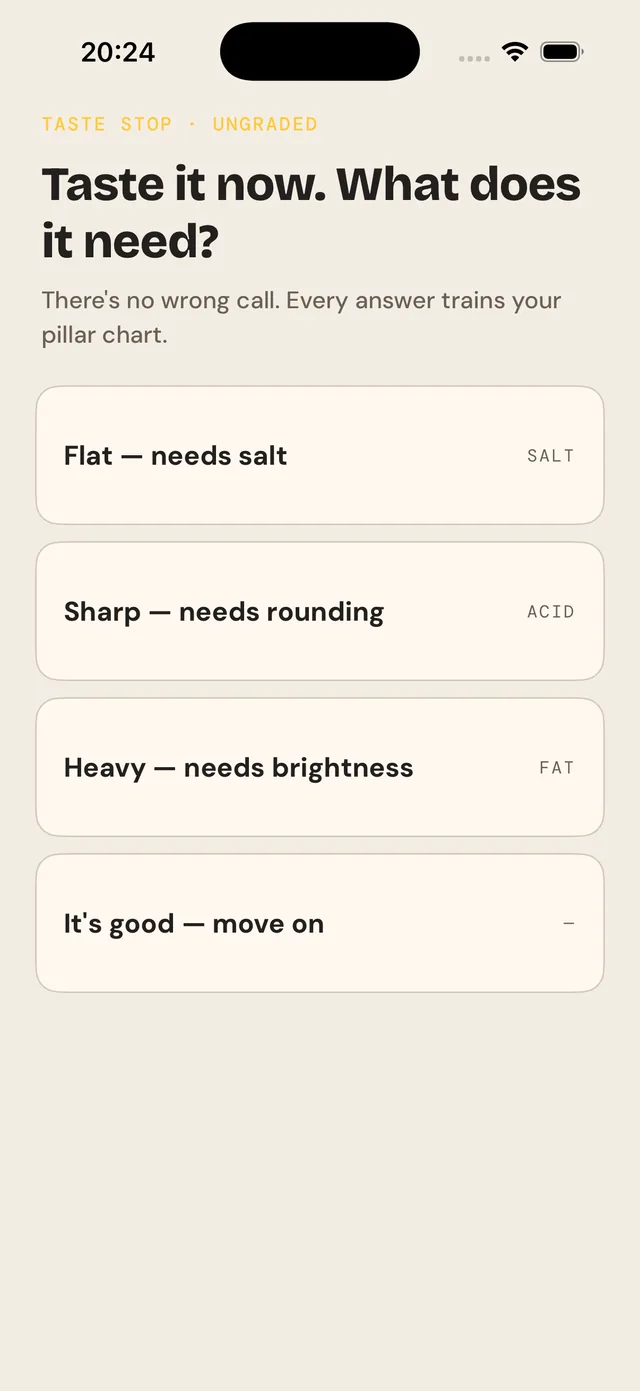
Cook a real dish, with the app beside the pan.
Guided cook-alongs walk a real dinner step by step, at arm's-length type, with timers that keep running when you put the phone down.
- Real cooking timers — several at once, restored if the app is killed, and continuing on the Lock Screen and in the Dynamic Island.
- Taste stops — the app pauses and asks what the dish needs. Ungraded; the point is the judgement, not a score.
- Four practice stations — sear, chop, season and stir, as short real-time instruments for rhythm, restraint and heat.
- A debrief — rate tonight's dish and it shapes what to learn next. It pays no currency on purpose: it's self-reported, so a reward would be farmable.
It leaves the app when that's more useful.
Cooking happens with your hands busy. Culinario puts the next thing where you'll actually see it.
Dynamic Island & Lock Screen
Live Activities for the cooking timer, the lesson you're mid-way through and the streak — each reopening the exact step it belongs to.
Alarms that break through
Timers are AlarmKit alarms, so they sound with a Focus on. The bell rings even with the ring switch off — a timer you can't hear isn't a timer.
Widgets
Three: continue where you left off, today's goal, and the streak — for the Home Screen and the Lock Screen.
Control Center
Three controls, so a rescue or a timer is one pull-down away.
Siri & Spotlight
App Intents for the things worth saying out loud: start a timer, fix a dish, do today's lesson.
Links that land
A shared lesson opens that lesson, not the home screen — Universal Links straight to the exact surface.
“What can I cook now that I couldn't before?”
Progress answers that question rather than counting taps.
- Repertoire — dishes you've cooked well twice or more. The ones you could make tonight without looking anything up.
- Four-pillar intuition — the four meters, moving as you learn.
- Spaced review — a technique resurfaces just before you'd forget it, scheduled from your own accuracy.
- Cooking Wrapped — a monthly read on what you cooked, what got sharper, and which pillar led.
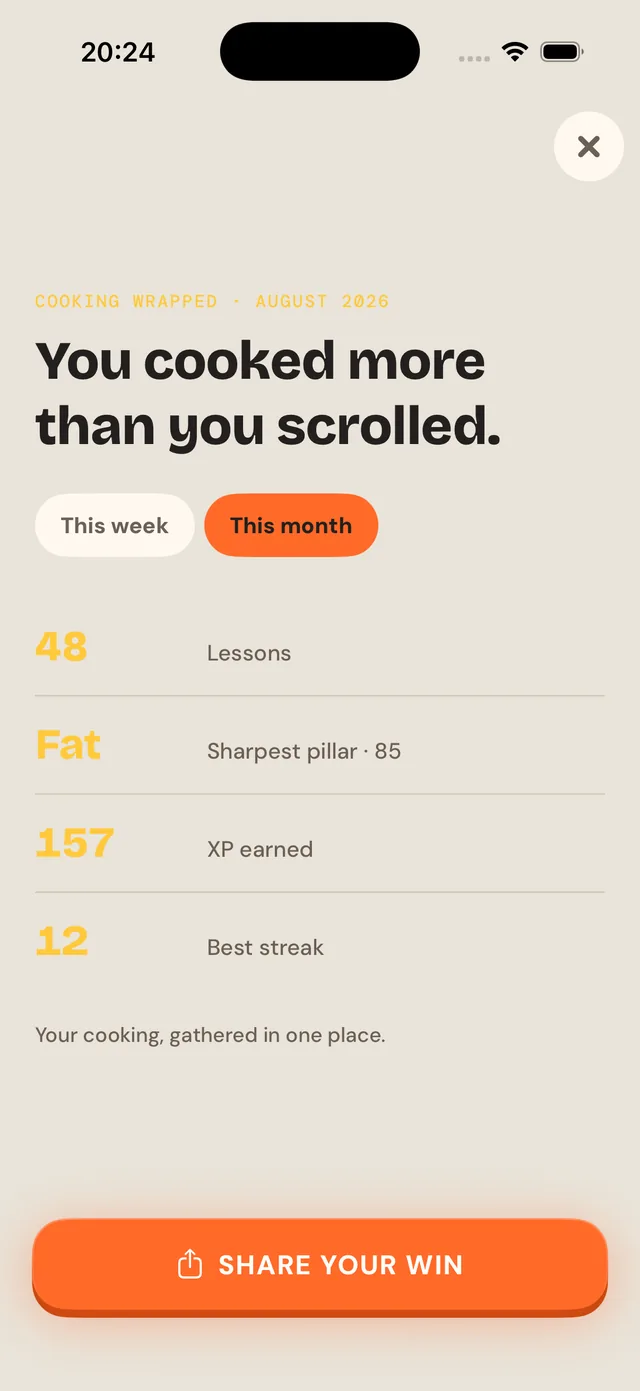
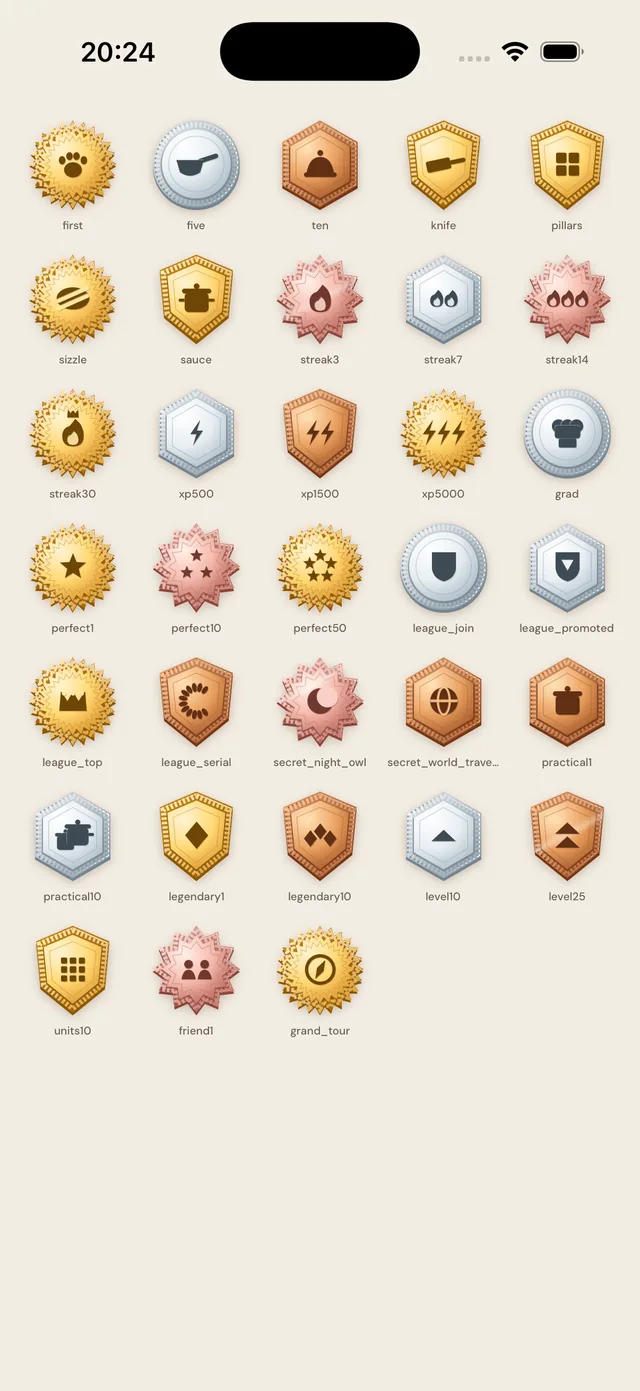
The streak counts cooking. Only cooking.
Plenty of apps let you keep a streak alive by collecting things. This one doesn't: a lesson, a practice round or real cooking secures the day, and claiming a reward never does. That's what makes “cook something every day” literally true here.
- A daily goal in XP, earned only by cooking or learning.
- 24 chef ranks, Dishwasher to Culinary Legend, each with its own art.
- 36 achievements plus a badge for mastering every single course.
- Weekly leagues and friends — opt-in, and they appear only once you're far enough in for a comparison to mean anything.
Every illustration is hand-built vector art.
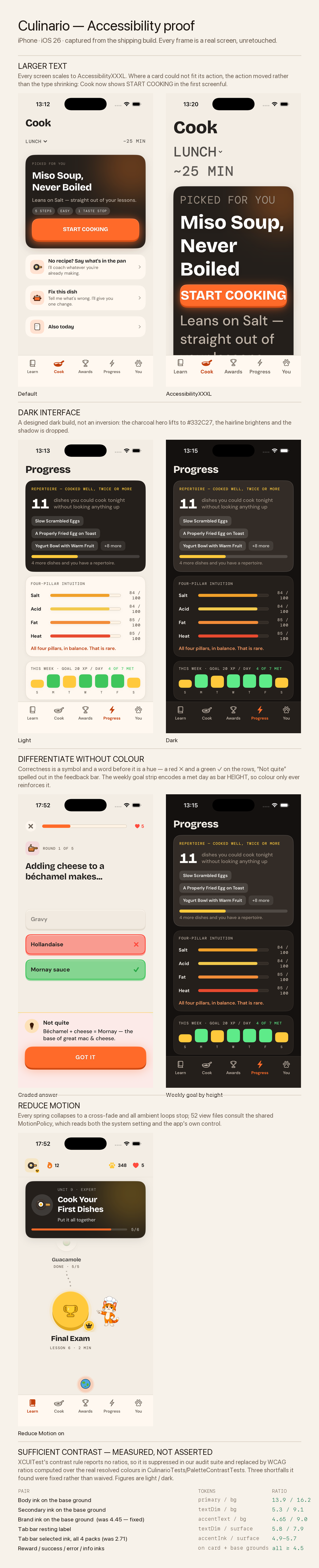
Around 150 bespoke two-tone motifs, drawn as SwiftUI shapes rather than shipped as images — which is why they stay crisp at any size and why the widgets can use the same set. No stock photography anywhere in the app. Dark mode is designed, not inverted: the hero lifts, the hairline brightens, the shadow is dropped.
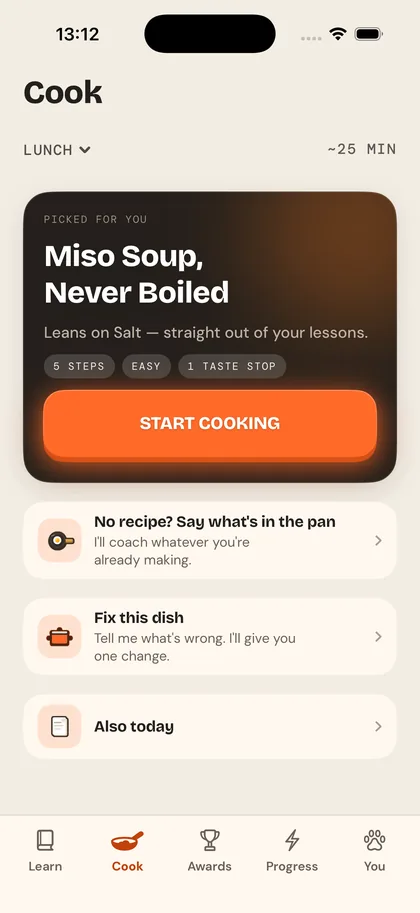
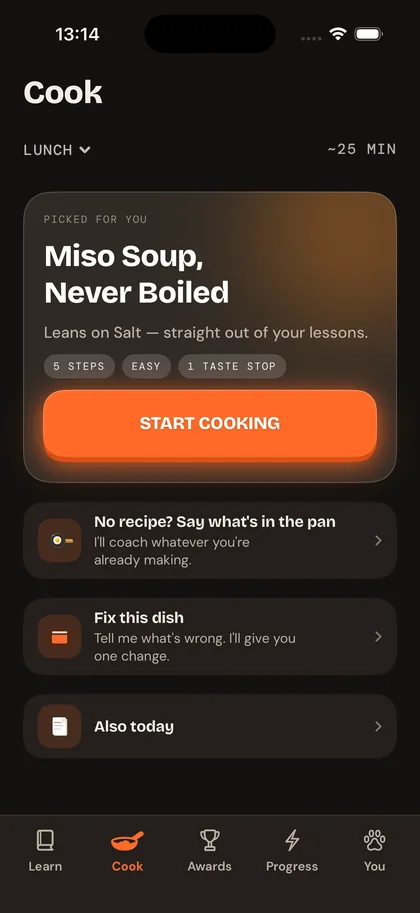
We publish the contrast ratios.
Culinario declares VoiceOver, Larger Text, Dark Interface, Reduced Motion, Sufficient Contrast and Differentiate Without Colour on its App Store accessibility label — and leaves Captions, Audio Descriptions and Voice Control undeclared rather than guessed. Every claim has a passing test or a measured number behind it. Figures below are light / dark.
| Pair | Tokens | Ratio |
|---|---|---|
| Body ink on the base ground | primary / bg | 13.9 / 16.2 |
| Secondary ink on the base ground | textDim / bg | 5.3 / 9.1 |
| Brand ink on the base ground | accentText / bg | 4.65 / 9.0 |
| Tab bar resting label | textDim / surface | 5.8 / 7.9 |
| Tab bar selected ink, all four themes | accentInk / surface | 4.9–5.7 |
Never colour alone
A right answer carries a ✓ and the word “correct”; a wrong one a ✗. The weekly goal strip encodes a met day as bar height, so colour only reinforces it.
Every text size
Screens reflow to the largest accessibility size. Where a card couldn't fit its button, the button moved — the type didn't shrink.
Reduce Motion
Every spring collapses to a cross-fade and all ambient motion stops, from one shared policy read across the app.
Not just the buttons — the whole curriculum.
English, German, Spanish, French, Russian and Ukrainian. All 29 courses, every lesson, every rescue, every coach line: about 14,800 strings per language, with none missing in any of them. Ukrainian is a first-class language here, not a fallback.
🇬🇧 English
Source language.
🇩🇪 Deutsch
Informal address throughout.
🇪🇸 Español
Complete.
🇫🇷 Français
Complete.
🇷🇺 Русский
Complete.
🇺🇦 Українська
Complete.
No account. No ads. No third-party tracking.
Nothing to sign up for
You can use the whole app without an account. There is no login screen because there is no login.
Your progress is yours
Learning history lives on your device and can mirror to your own private iCloud. We run no servers of our own, so it never reaches us.
No ad tracking
No third-party analytics for advertising, ever. Anonymous usage and crash diagnostics are off unless you turn them on.
Leave whenever
Leagues and friends are opt-in and come with their own delete controls. Turning sharing off removes what was shared.
Free is genuinely usable.
Free
- All of Fundamentals, and the first unit of every other course
- A dish rescue you choose, free — the first-run one doesn't count against it
- Practice, cook-alongs, real timers, streaks, goals, levels and ranks
- All six languages, and every accessibility feature
Culinario Plus
- The full lesson library — all 29 courses
- Unlimited hearts, so a wrong answer never stops the session
- Unlimited rescues and personalised review
- Theme packs, app icons and avatars
Auto-renewing. Price and any trial are shown before you subscribe, and cancelling is two taps in Settings. People who had the app before it charged anything keep everything free, permanently.
Start with the dish you're standing over.
It takes about a minute, and you don't have to sign up for anything.
Get Culinario — free on iPhoneiPhone · iOS 26 or later